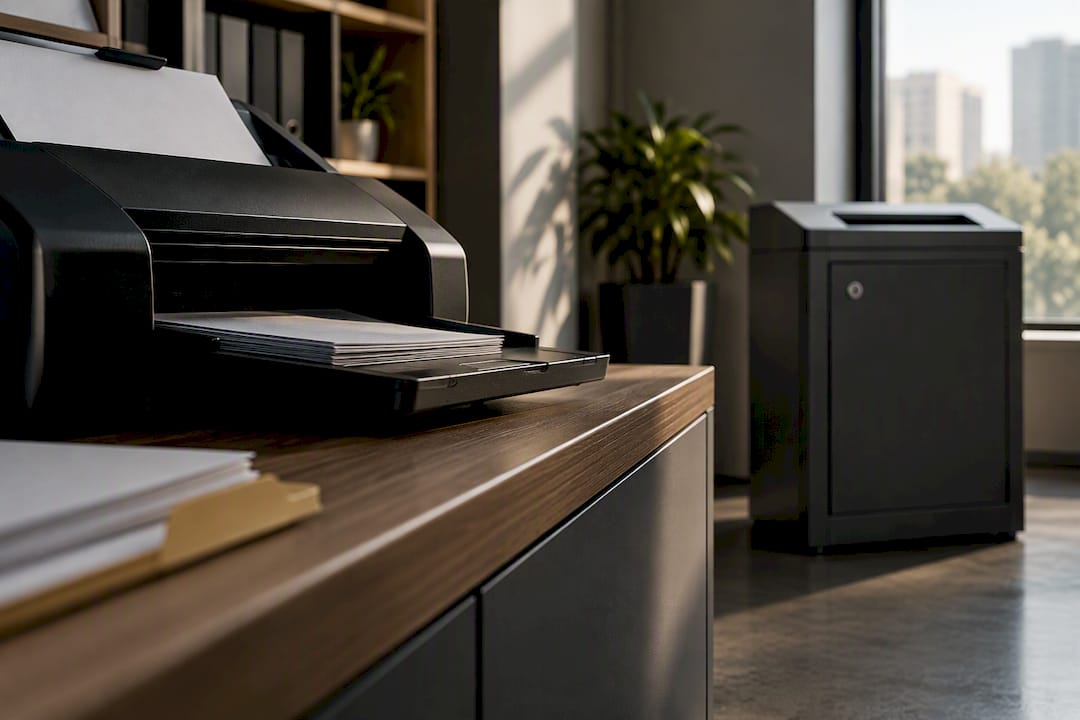
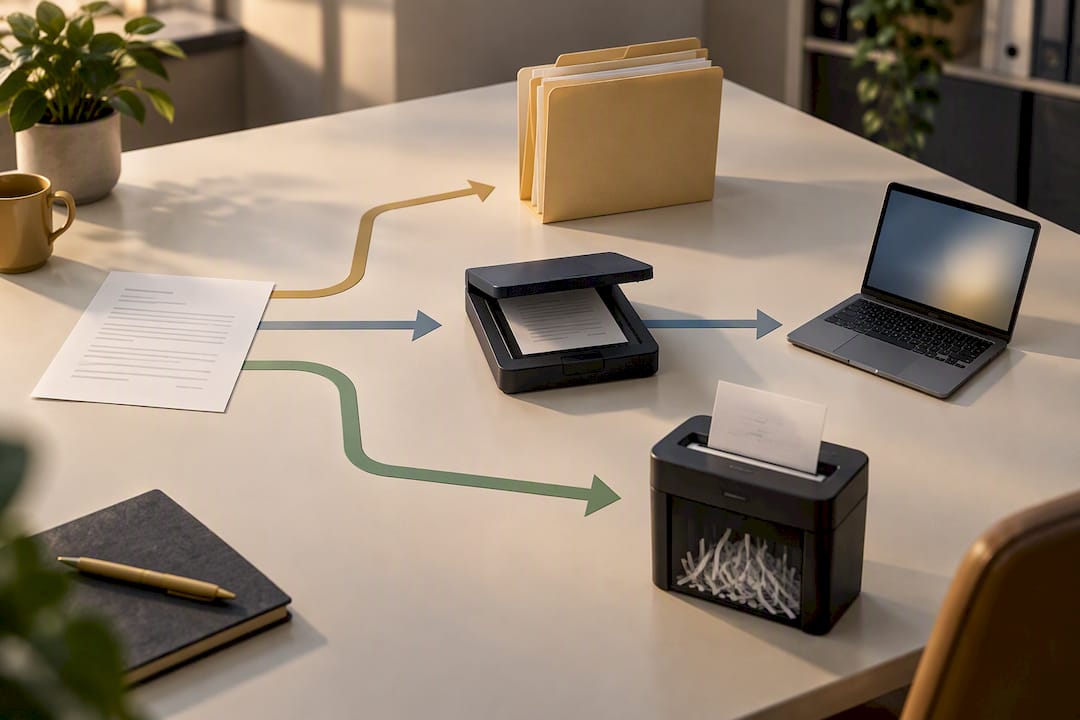
Scan what you need to access again, keep for legal reasons, or reference often; shred what has passed its retention date or carries sensitive data you no longer need. In most cases, the right approach is both: scan first for a digital record, and then shred the paper securely once you’ve confirmed you don’t need the original. The exceptions are legal and retention rules, so always check those before you decide, and use a decision matrix to work through borderline cases.
TL;DR:
- Scanning is more appropriate when documents need to be easily searchable, backed up, or shared across teams, especially if they have ongoing retention requirements.
- Shredding is recommended for expired records with no ongoing legal or security need, and when retention periods have passed, to prevent sensitive data leaks.
- A proper workflow separates documents by retention and sensitivity, with digitization prioritized for those referenced frequently or of historical value.
- Costs for scanning depend on volume, complexity, and condition, while shredding costs vary based on volume, frequency, and service type, making tailored quotes essential.
- Organizations must maintain detailed retention schedules, secure contracts with providers, and a Certificate of Destruction provides useful evidence that confidential material has been securely destroyed and can support your organisation’s accountability records.
Table of Contents
- Scanning vs shredding: the decision matrix
- When does scanning make more sense than shredding?
- When does shredding make more sense than scanning?
- What does a practical scan-and-shred workflow look like?
- How much does scanning or shredding cost?
- What do ICO guidance and retention rules actually require?
- Is shredded paper actually recycled, and does scanning have a footprint too?
- What actually happens once you hand documents over
- How Secure shred handles the shredding half of the decision
- Sources
- FAQ
Scanning vs shredding: the decision matrix
Five factors decide whether a document should be scanned, shredded, or both, and weighing them properly takes a couple of minutes per category of paperwork, not per page.
- Retention and legal need: does a regulator, contract, or tax authority require you to keep this document and for how long?
- Future access frequency: will you or a colleague need to look at this again in the next few years?
- Sensitivity and security risk: does it contain personal data, financial details, or commercially confidential information?
- Document condition: is it fragile, faded, or already deteriorating, which affects how urgently it needs digitising?
- Cost and storage trade-offs: what does keeping the paper cost you in space and risk, versus the cost of scanning it properly?
A tax receipt from this year fails the retention test in the near term but might be needed for HMRC scrutiny, so it gets scanned and filed, with the paper kept until the retention window closes. An expired payroll file with no ongoing legal need and high personal-data sensitivity goes straight to secure destruction. Most paperwork sits between those two extremes, which is exactly why a quick sort against these five factors saves you from guessing.
When does scanning make more sense than shredding?
Scanning wins when you need a document to stay accessible, searchable, or backed up against loss. A digitised archive lets you find a contract in seconds rather than digging through a filing cabinet, and it protects records against fire, flood, or a simple filing error that loses a page forever. Digitisation also reduces the physical paper your business handles and supports easier collaboration across teams, which matters if more than one person needs the same file.
Scan a document when any of these apply:
- You or others will reference it more than a couple of times a year.
- A retention schedule requires you to keep it, but not necessarily in paper form.
- It has archival or historical value worth preserving beyond its practical use.
- The original is fragile, fading, or otherwise at risk of becoming unreadable.
Getting a clean scan involves more than pointing a phone camera at a page. Optical character recognition (OCR) turns scanned text into searchable data. Proper indexing means you can actually find the file again, and consistent naming conventions and metadata stop your archive turning into another version of the shoebox you were trying to escape. Poor-quality originals, faint carbon copies, or documents with handwritten annotations often need manual review rather than automated OCR, which is where errors creep in if nobody checks the output.
Pro Tip: Some documents, such as original signed contracts, deeds, or certain HMRC-related paperwork, may still need to be kept in physical form even after scanning. Check the specific legal requirement before you shred anything that looks official.
When does shredding make more sense than scanning?
Shredding is the right call once a document has passed its useful life and carries information you wouldn’t want in the wrong hands. Shredding is widely recommended by the Information Commissioner’s Office as a quick, affordable way to dispose of paper-based personal data once retention periods have expired, and for most businesses, that makes it the default disposal method rather than the exception.
Records typically headed for the shredder include:
- Expired financial statements, old bank records, and superseded invoices.
- Payroll and HR files once statutory retention periods have passed.
- Duplicate copies you kept “just in case” but never needed.
- Poor-quality or damaged originals with no archival value worth preserving.
On-site shredding destroys documents at your premises, which some businesses prefer for the reassurance of watching it happen. Off-site destruction, where sacks or bins are collected and shredded at a secure facility, usually handles higher volumes more efficiently and still comes with the same accountability if the provider does its job properly. Either way, ask for a certificate of destruction, evidence of a documented chain of custody, and a clear answer on how the process is audited. A documented chain of custody and Certificate of Destruction can provide valuable evidence that confidential material has been securely handled and destroyed.
What does a practical scan-and-shred workflow look like?
Most organisations don’t need to pick one method exclusively. A lifecycle approach that scans what you need, stores what must be kept, and shreds what is no longer required. This tends to serve businesses better than an all-or-nothing choice. Here’s how that plays out in practice:
- Sort by retention and sensitivity. Separate documents into “must keep,” “scan and review,” and “destroy now” before anything else happens.
- Sample-scan and quality-check. Scan a batch, check the OCR output and indexing are accurate, then proceed with the rest once you trust the process.
- Index, back up, and control access. Store the digital files with proper permissions so only the right people can view sensitive scans.
- Shred the originals once retention and legal checks confirm it’s safe. Never destroy the only copy of something you might still need.
Third-party scanning providers often build rules-based workflows that route scanned files straight into business processes rather than leaving them as unsorted PDFs, which is worth asking about if you’re outsourcing a large batch. Security matters just as much during the interim stage as at the final destruction step. Documents waiting to be shredded should be locked away, not left in an open box, and the ICO is clear that you remain responsible for the security of personal data even after handing it to a third-party processor. Before hiring anyone, ask about certification, insurance, and whether their vehicles and sites offer traceable, monitored handling from collection to destruction.
Pro Tip: If a supplier can’t answer a straightforward question about their chain of custody, that’s a red flag worth acting on before you hand over a single sack of confidential paper.
How much does scanning or shredding cost?
Scanning costs are driven by volume, the complexity of indexing, whether OCR is needed, and how much manual handling poor-quality originals require. A clean stack of recent invoices scans quickly and cheaply; faded 20-year-old ledgers with handwritten notes take far longer per page and cost more as a result.
Shredding costs depend on:
- The size and frequency of collections, whether one-off or scheduled
- Whether you need on-site destruction versus off-site processing
- Whether certificates of destruction and documented audit trails are included.
- How the material is packaged, whether in sacks, lockable bins, or wheelie bins.
For occasional needs, pay-as-you-go sacks or a one-off collection tend to be the most cost-effective route. Once you regularly have confidential waste, a scheduled service often reduces per-collection costs and prevents paperwork piling up between clear-outs.
What do ICO guidance and retention rules actually require?
Retention schedules exist precisely so you don’t have to guess whether something can be destroyed yet. Build one that lists document types, how long each must be kept and the legal basis for that period, whether that’s tax law, employment regulation, or a specific contractual term.
The ICO’s guidance is explicit that organisations must ensure personal data is destroyed securely when no longer needed, and that responsibility for this doesn’t disappear when you outsource the job to a shredding company. That means checking a provider’s credentials, having a proper contract in place where a shredding provider acts as your data processor, an appropriate UK GDPR Article 28 contract should be in place covering the relevant data protection responsibilities.. and confirming they’ll issue a certificate of destruction for every job. Businesses handling debt or credit-related records face additional obligations worth reviewing in detail through dedicated GDPR guidance for creditors and collectors. Secure shred’s own guide to GDPR document disposal covers what UK businesses typically need to have documented before an audit.
- A written retention schedule with legal basis for each category.
- A signed contract with any third-party destruction provider.
- Although UK GDPR does not specifically require a Certificate of Destruction for every collection, organisations should ensure personal data is securely destroyed and maintain appropriate evidence and controls when using an external shredding provider.
- A documented process showing who handled the material and when.
Is shredded paper actually recycled, and does scanning have a footprint too?
Shredded paper is typically baled and sent to paper mills for pulping into new paper products, provided the shredding company actually separates and processes it that way rather than sending mixed waste to landfill. When choosing a provider, ask directly what happens to the shredded material afterwards and whether they can show a genuine zero-landfill process rather than simply claiming one.
Digital storage isn’t free of environmental cost either. Cloud storage consumes energy, though consolidating files and deleting duplicates reduces the long-term footprint of a growing digital archive. A greener scan-and-shred programme combines both sides of that equation:
- Ask suppliers for evidence of recycling streams, not just a verbal promise.
- Archive older, rarely accessed files in cold storage rather than active cloud tiers.
- Delete duplicate scans instead of letting them multiply across drives.
What actually happens once you hand documents over
Most guides treat scanning and shredding as a binary choice, and that framing misses the point. The real skill is knowing which category a document falls into fast, then acting on it without agonising over every single page. Businesses that get this right tend to have a written retention schedule they actually consult, rather than a vague sense of “we should probably keep that.” My heuristic is blunt but reliable: scan it if you’ll need it more than twice a year, shred it if retention has expired or the sensitivity is high, and don’t leave paperwork sitting in limbo because nobody wanted to make the call.
How Secure shred handles the shredding half of the decision
Once you’ve decided a document needs destroying rather than digitising, you can find shredding services that provide assurance your documents are properly handled. Many shredding providers offer certificates of destruction and use GPS tracking and CCTV monitoring to provide a traceable record from pickup to shredding.
For occasional needs, one-off collections and drop-off sacks cover everything from a single bag to lockable wheelie bins for a full clear-out, with additional bags priced at £4.00 plus VAT each. If you’re generating confidential waste regularly, scheduled shredding for homes and small offices removes the guesswork of when to book again, and larger organisations can look at business packages with on-site or off-site options. Some providers also offer digital media destruction services for hard drives and electronic devices. Get a quote or book a collection through Secure shred’s services page and have your paperwork handled with a documented, traceable process from start to finish.
Sources
- Practical methods for destroying documents that are no longer needed | ICO
- 10 benefits of digitizing documents | Adobe
- Why to digitize your paper documents and how to do it | Ricoh
FAQ
How much does it cost to shred documents in the UK?
Costs vary by volume and service type, with pay-as-you-go sacks typically running from around £28 to £42 for drop-off, or £46 to £65 when a collection is included. Larger one-off clear-outs using lockable wheelie bins cost from £70 to £220, depending on volume.
How much does it cost to scan 1,000 pages?
Scanning costs depend heavily on document condition, whether OCR and indexing are needed, and how much manual handling poor-quality originals require. There’s no single fixed rate industry-wide, so it’s worth requesting a quote based on your actual paper condition and formatting needs rather than assuming a flat per-page price.
Is professional shredding worth it for a small business?
For any business handling personal or financial data, professional shredding is usually worth it because it comes with a certificate of destruction and a documented chain of custody that DIY shredding at home simply can’t provide. The ICO also holds you responsible for secure disposal even when you outsource it, so using a reputable, contracted provider protects you against that risk.
What is the average cost of document scanning in the UK?
There’s no single average figure, since pricing depends on volume, indexing needs, and how much manual correction poor originals require. The most reliable approach is to get a quote once you know how many pages you have and whether they need OCR or metadata tagging.
Should I scan a document before shredding it, or just shred it?
Scan first if there’s any chance you’ll need to reference the document again or if a retention rule requires you to keep a record of it, then shred the original once you’ve confirmed the digital copy is complete and legally acceptable. If the document has already passed its retention date and holds no future value, shredding it directly without scanning is the simpler and faster option.