Data security / IT destruction
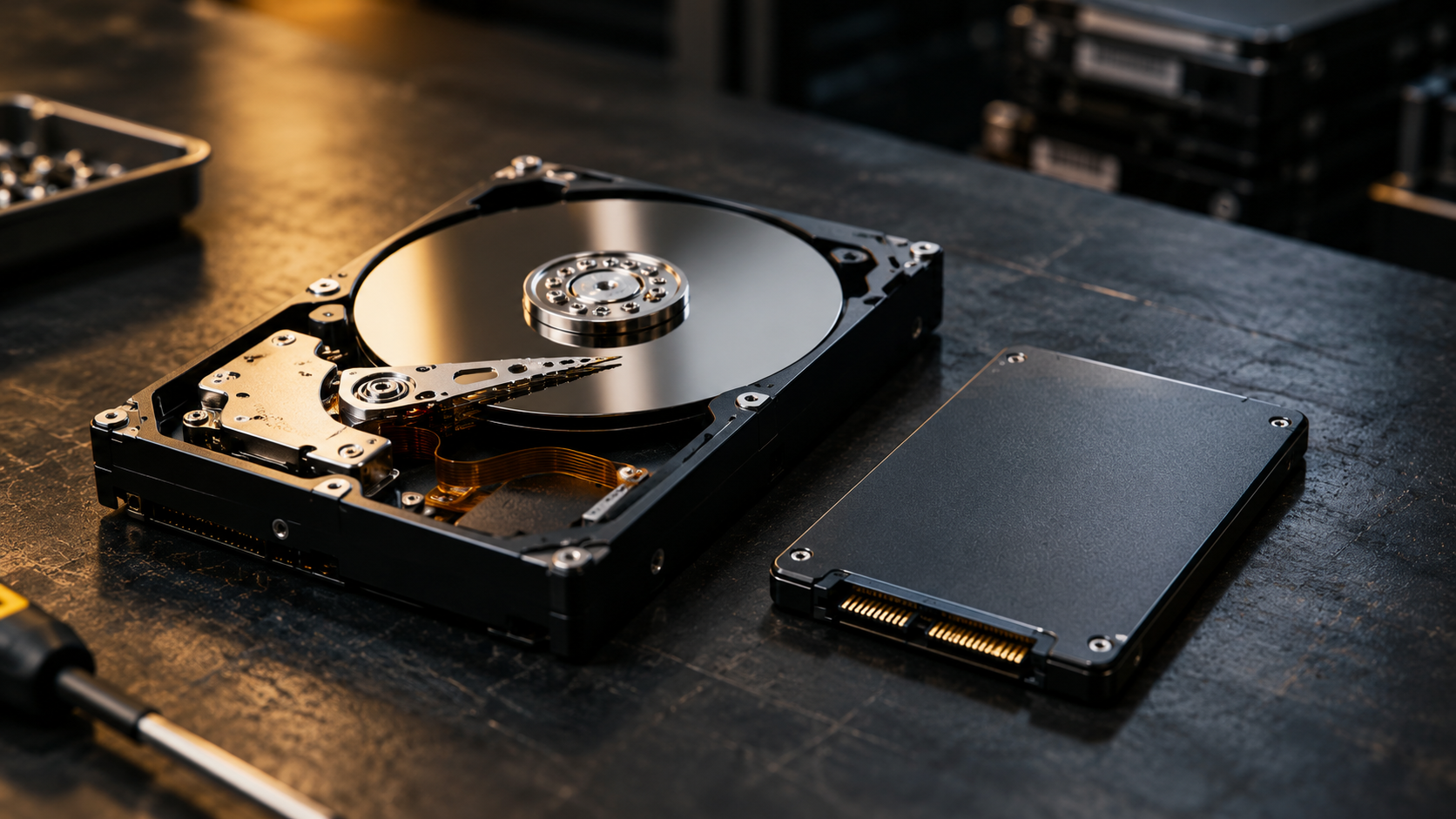
When disposing of old computers, laptops or hard drives, deleting your files isn’t necessarily enough to protect sensitive information. Businesses and individuals often face a choice between secure data wiping and physical hard drive destruction. Both can protect confidential information, but the right choice depends on the device, the data and whether the equipment will be reused.
Secure data wiping
Uses appropriate sanitisation methods to protect information while potentially preserving a working device for reuse.
Physical destruction
Damages or destroys storage media so data recovery becomes impractical; often suitable for damaged or end-of-life devices.
What is hard drive wiping?
Hard drive wiping, also known as data sanitisation, uses specialist software or device commands to remove stored information so it cannot reasonably be recovered. Unlike simply deleting files or formatting a drive, an appropriate sanitisation process accounts for how the storage technology works.
- Hard disk drives (HDDs): Suitable overwriting or device-specific sanitisation methods may be used.
- Solid-state drives (SSDs): Manufacturer-supported sanitisation commands or cryptographic erasure may be more appropriate.
- Encrypted devices: Cryptographic erasure can make previously encrypted data inaccessible by securely eliminating the relevant keys, when the necessary conditions are met.
What is physical hard drive destruction?
Physical destruction involves permanently damaging or destroying storage media so the information it contains cannot practically be recovered. The right method depends on the device and security requirements.
- Shredding: Mechanically reduces storage media into fragments.
- Crushing: Physically damages critical storage components.
- Disintegration: Breaks storage media into smaller particles.
- Degaussing: Uses a powerful magnetic field to sanitise compatible magnetic media. It does not work on SSDs.
The effectiveness of destruction depends on the media type, method used and degree of damage achieved.
Hard drive wiping vs physical destruction: key differences
| Consideration | Secure wiping | Physical destruction |
|---|---|---|
| Data security | Effective when correctly performed and verified | Effective when storage media is adequately destroyed |
| Device reuse | Often possible | Not possible for the destroyed component |
| Damaged drives | Some methods may fail | Often more suitable |
| Environmental outcome | Can preserve equipment for reuse | Materials may be recovered through recycling |
| Evidence | Erasure records and verification | Destruction and relevant waste-transfer records |
| Typical use | Working, reusable equipment | Damaged, end-of-life or higher-risk media |
Neither option should be chosen solely on price. Consider the sensitivity of the information, the condition of the equipment and what needs to happen to it afterwards.
When should you choose data wiping?
Secure wiping may be suitable when equipment works and is intended for reuse, resale or refurbishment. For example, a business replacing its laptops might choose verified sanitisation so devices can be redeployed. The method must suit the storage technology, and successful completion should be checked and documented.
When is physical destruction the better option?
Physical destruction may be preferable when:
- A drive is damaged or cannot be reliably sanitised.
- The equipment has reached the end of its useful life.
- The information stored is particularly sensitive.
- A contract or organisational security policy requires destruction.
- Reuse of the storage device is unnecessary.
What does UK GDPR require?
Under UK data protection legislation, organisations must implement appropriate technical and organisational measures to protect personal data. This responsibility also applies when disposing of equipment that may contain personal information.
UK GDPR does not require every hard drive to be physically destroyed. Organisations should assess the risks and choose appropriate measures to prevent unauthorised access. When using a third-party provider, consider how equipment is handled, transported and processed.
What documentation should you request?
Useful records may include:
- A Waste Transfer Note where applicable.
- A Certificate of Destruction or erasure, appropriate to the service.
- The date and method of destruction or sanitisation.
- Equipment identifiers where recorded or agreed.
- Details of the provider handling the waste.
The exact records needed depend on the service, applicable regulations and your organisation’s requirements.
Which option is better for the environment?
Both methods have a role in responsible IT disposal. Sanitising working equipment may allow it to be reused, extending its life. Where reuse is not practical, responsible recycling can recover useful materials from end-of-life equipment. The best outcome depends on the device’s condition and whether secure reuse is realistic.
Secure Shred · South Wales
Secure IT destruction alongside document shredding
Secure Shred offers free destruction of eligible IT equipment alongside a document shredding service. Eligible items include desktop computers, laptops, internal and external hard drives, servers and server equipment, mobile phones and tablets.
Electronic waste is handled for onward treatment and recycling through authorised facilities. Contact us to confirm eligibility and discuss your requirements.
Enquire about IT destructionFrequently asked questions
Is formatting a hard drive enough to erase data?
Not necessarily. A quick format may leave recoverable information. Appropriate sanitisation or physical destruction should be considered when confidential data is involved.
Can data be recovered from a destroyed hard drive?
Proper physical destruction is designed to make recovery impractical. Its effectiveness depends on the method, media type and extent of destruction.
Does GDPR require physical hard drive destruction?
Not in every situation. UK GDPR requires security measures appropriate to the risks. Verified sanitisation may be suitable in some cases, while physical destruction may be preferable in others.
Can SSDs be securely wiped?
Yes. Appropriate device-specific methods, including supported sanitisation commands or cryptographic erasure, may be suitable. Standard overwriting is not always reliable for SSDs.
Does Secure Shred offer free IT destruction?
Yes. Eligible IT equipment can be included free of charge alongside a document shredding service. Contact Secure Shred to confirm which items are eligible.
Further reading
For additional guidance, see NIST SP 800-88 Revision 2 and the Information Commissioner’s Office.